
This is an earlier version. The current manual is v7.5.0.
12 Appendix
12.1 Thank you
Thank you for your decision to use MOST™ (Measure of Success Tracking)!
MOST™ is a tool initially designed for the healthcare industry but can easily adapt to any setting that operates under a set of accreditation standards or regulations. This easy-to-use software allows you to audit your agency in a comprehensive, clear, and concise manner. It even allows you to develop your own sets of questions. MOST™ lets you enter data and complete audits without completing “paperwork.” In addition, it consolidates the data into comprehensive reports. MOST™ permits you to measure the success of individuals, teams, units, facilities and organizations and provides you with feedback about how your agency is meeting internal and external standards.
For more information visit: https://www.mostaccess.com
12.2 Supported Browsers
Supported browsers are current versions of Chrome, Edge, Firefox, and Safari. So, there is no software to install and no need to deal with updates because they happen on the server automatically. The URL for the application is provided to your organization during the setup process. Once your organization has been set up on MOST™ a designated organization admin can add user accounts as needed. Instructions for configuring your account are sent by email as part of the account creation process.
MOST™ provides password protected access over an encrypted (HTTPS) connection. It is hosted on Amazon Web Services under a business associate agreement, its data is encrypted in transit and at rest, and it is backed up nightly. Software and operating system updates are installed regularly. MOST™ is not a clinical record system.
The MOST™ system uses a web-based confidential and secure site that allows authorized users to complete audits and review data (reports). Reports are available for the individual, program or organization as soon as audits are completed. This allows for real-time feedback.
12.3 MOST™ Mobile
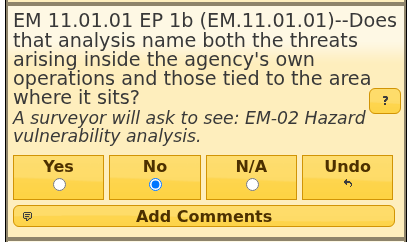
MOST™ Mobile allows users to create and complete audits from their small-screen device, so a walkthrough or a building round is recorded where it happens. To use the mobile interface simply visit the usual URL and you will be automatically directed to the mobile site. The mobile site does not provide complete access but does allow users to create and complete audits. Policy notes appear under No answers there too (see Answering Questions):
12.4 Benefits of Using MOST™
Audits
Proof of intense, ongoing corporate compliance efforts
Increased accountability to Medicaid
Increased accountability to external accrediting agencies
Increased accountability to governing board
Ongoing preparedness between surveys, rather than a scramble in the final weeks
Tracking over time: a trend, not a snapshot taken the week before a survey
Provide organization wide, program and individual reports for Leadership
Identification of trends and patterns of care and associated risks.
Identification of trends and patterns of quantitative compliance.
Patient Care
Helps determine if medical necessity is established
Helps identify the presence or absence of a diagnosable mental illness
Provides documentation of peer review activities to enhance quality care
Helps clarify expectations and quality of clinical practices
Examines processes and outcomes of care
Staff Development
Aides in effective supervision of individuals and programs
Identifies training needs
Provides peer review documentation to comply with regulatory requirements
Provides documentation for competency evaluations
Provides ongoing education/training for providers
Provides focus on clinical support rather than clinical demand (productivity)
Loss Prevention
Reduces potential liability
Reduces potential recoupment
Monitors quantitative requirements
Improves the potential for increased retention of professional staff when MHPs are empowered with knowledge, training and development
Helpful Auditing Hints
- Comment Section
Comment on all “Not Met” criteria to make the audit more educative and instructive.
In addition, comment on “Met” criteria if there can be an educative and instructive component. Often the criterion is met, but barely, and comments can help the provider know how to document/communicate better.
Comments help identify training needs for the individual as well as organization-wide.
- Case ID
When entering the Case ID in an audit, include the location and last name of provider e.g, SS (location) 56789 (case number) Reed (provider last name)… SS 56789 Reed.
- Providers
It is important to score only areas for which the provider is responsible e.g., a Mental Health Professional (MHP) should not receive a lower score because the Psychiatric Diagnostic Assessment (PDA) is lacking. It might be better to complete two (2) audits on one chart i.e., one audit for the MHP and one for the psychiatrist addressing only the areas for which each is responsible. The MOST™ software will not allow you to use the same (exact) ID number twice so one suggestion is to type PDA after the case ID for the psychiatric audit.